Back to Help Center
BlueHive EmployersVideo Tutorial
Adding/Updating Payment Information
How to add or update your payment method in BlueHive.
< 1 min read
Updated June 12, 2025
On This Page
To place orders in BlueHive, you must add payment information. You will be prompted to do so automatically when you try to place your first order, but you can also access the payment screen manually.
Accessing Payment Settings
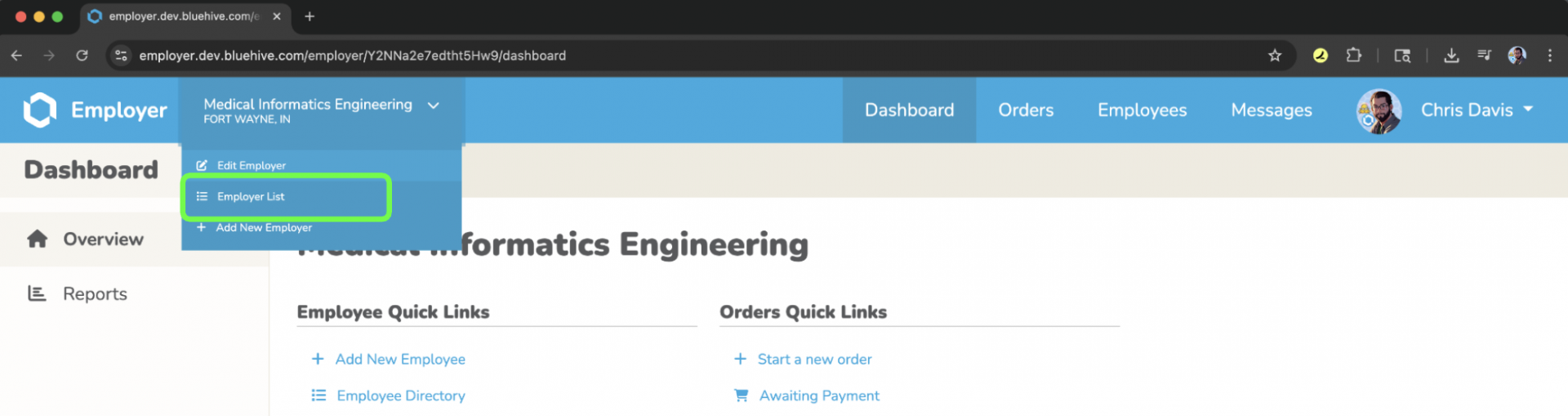
- Click your company name at the top
- Select "Edit Employer"
Click to zoom
- Click "Payment Information" on the left
- Click to add your payment choice on the right side of the screen
Your payment information is securely stored and will be used for all future orders.
←Previous→NextHHome