Occupational Health and Safety in the Age of Remote Work
With roughly one in four U.S. workers now remote at least part-time and home office injury claims rising since the shift to remote work, HR teams need a structured approach to remote OHS — from ergonomic assessments to mental health programs and workers comp compliance.
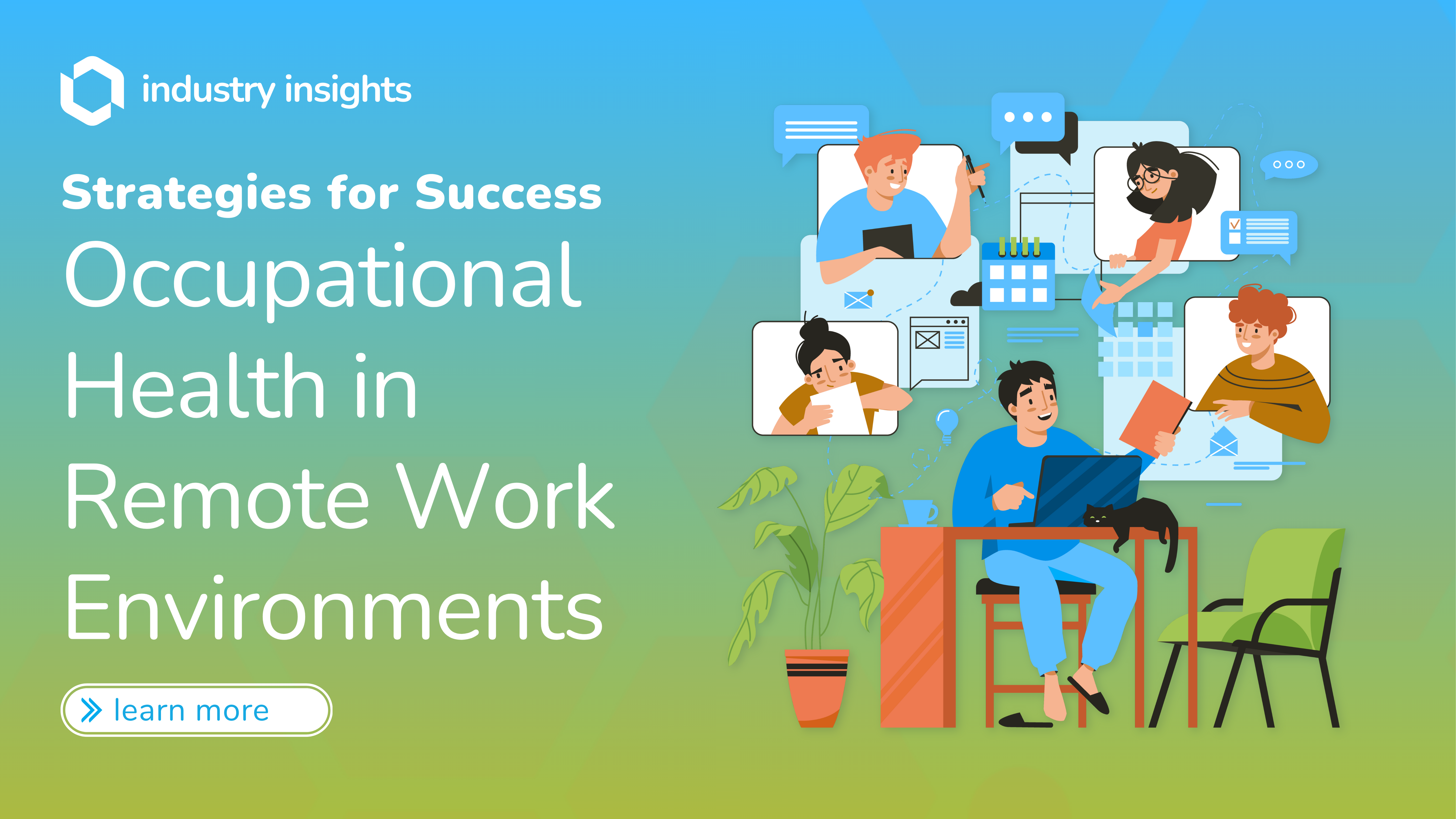
Remote work is no longer an experiment — it is a permanent feature of the modern workforce. According to Pew Research, roughly one in four U.S. workers now work remotely at least part-time. McKinsey research suggests that a majority of knowledge workers have the option to work from home at least one day per week. These numbers represent a structural shift that demands an equally structural approach to occupational health and safety (OHS).
Yet most organizations have not caught up. Occupational safety experts estimate that injury and illness rates among remote workers are significantly underreported. Workers' compensation claims for home office injuries have increased since the shift to remote work. Ergonomic injury claims for remote workers carry significant costs, often comparable to in-office ergonomic claims.
For HR professionals, the message is clear: the workplace moved, but your obligations did not. This guide provides a comprehensive, data-driven framework for building a remote OHS program that protects employees and your organization.
Employer Liability Extends to Home Offices
OSHA's General Duty Clause (Section 5(a)(1)) requires employers to provide a workplace free from recognized hazards — and that includes home offices. While OSHA has stated it will not conduct inspections of home offices, employers can still be held liable for known hazards. If an employee reports an ergonomic issue and the employer fails to act, that creates documented liability exposure.
The Scale of Remote Work Health Risks
Remote work introduces health risks that are fundamentally different from those in a traditional office. Without centralized facilities management, ergonomic oversight, or in-person safety walkthroughs, each employee's home becomes an unregulated worksite. The following table outlines the primary risk categories HR teams should be tracking.
Remote Work Health Risks by Category
| Risk Category | Prevalence | Cost Impact | Prevention Strategy |
|---|---|---|---|
| Ergonomic injuries (back, neck, wrist) | 41% of remote workers report new musculoskeletal pain | Significant cost per claim | Virtual ergonomic assessments, equipment stipends |
| Mental health (anxiety, depression, burnout) | 67% of remote workers report burnout symptoms | $4,000–$15,000 per employee annually in lost productivity | EAP programs, regular check-ins, mental health days |
| Eye strain and digital fatigue | 65% of remote workers report digital eye strain | $2,000–$5,000 per employee in healthcare costs | 20-20-20 rule enforcement, blue light filters, screen breaks |
| Sedentary behavior | Remote workers sit an avg. of 1.5 hours more per day | $1,500–$3,500 per employee in long-term health costs | Movement reminders, standing desk stipends, walking meetings |
| Social isolation | 53% of remote workers feel disconnected from colleagues | $10,000+ per turnover event | Virtual social events, coworking stipends, team retreats |
| Repetitive stress injuries | 19% increase in RSI claims among remote workers | $12,000–$35,000 per claim | Ergonomic equipment, micro-break software, task rotation |
OSHA and Remote Work: What Employers Need to Know
OSHA's position on remote work has evolved, but it remains grounded in the General Duty Clause. In a February 2000 directive, OSHA clarified that while it will not conduct inspections of home offices and does not hold employers responsible for employees' home environments in general, the employer is responsible for hazards associated with the work being performed.
In practical terms, this means:
- Employer-provided equipment must meet safety standards, whether used in an office or at home.
- Known hazards that are reported must be addressed. If an employee tells you their makeshift desk is causing wrist pain, you have an obligation to respond.
- Recordkeeping requirements still apply. Work-related injuries and illnesses must be recorded on OSHA 300 logs, regardless of where they occur.
- Workers' compensation claims for home office injuries are legitimate and increasingly common. Courts have consistently ruled that injuries occurring during work hours in a designated home workspace are compensable.
OSHA's Home Office Inspection Policy
OSHA does not routinely inspect home offices. However, the agency may investigate complaints related to employer-provided equipment or work conditions. The key principle: employers are not expected to inspect home offices, but they are expected to respond to reported hazards and provide safe equipment. Document all employee requests and your responses — this paper trail is your best legal protection.
Ergonomic Risks: The Cost of Improvised Workstations
The rapid shift to remote work in 2020 sent millions of employees to kitchen tables, couches, and bedroom corners. Five years later, many are still working from these improvised setups. The consequences are measurable:
- A significant percentage of remote workers report developing new musculoskeletal pain since transitioning to remote work, according to occupational health research.
- The most common complaints are lower back pain, neck pain, and wrist/hand pain.
- Workers who use a laptop without an external monitor, keyboard, or mouse face significantly higher MSD risk.
- Employees working from couches or beds show markedly higher rates of chronic pain complaints compared to those with dedicated desk setups.
What a Proper Home Office Setup Looks Like
An ergonomic home workstation does not have to be expensive, but it does need to meet basic standards:
- Chair: Adjustable height, lumbar support, feet flat on the floor or on a footrest
- Monitor: Top of screen at or slightly below eye level, 20–26 inches from face
- Keyboard and mouse: Separate from laptop, wrists in neutral position, elbows at 90 degrees
- Desk: Height allows forearms to rest parallel to the floor
- Lighting: Adequate task lighting, minimal glare on screens
Many organizations now provide equipment stipends of $500–$1,500 for home office setup. This investment typically pays for itself within the first avoided injury claim.
Virtual Ergonomic Assessments Work
Research suggests that virtual ergonomic assessments can be nearly as effective as in-person assessments at identifying risk factors — and significantly more cost-effective to deliver at scale. BlueHive connects you with certified ergonomic specialists who conduct live video assessments and provide personalized recommendations for each employee's workspace.
Mental Health: The Quiet Crisis in Remote Work
Mental health has emerged as the most significant and most underaddressed health risk in remote work. The data paints a concerning picture:
- Remote workers report experiencing burnout symptoms at higher rates than on-site workers, according to Gallup workplace research.
- Remote employees frequently work additional hours beyond their scheduled day compared to office-based counterparts.
- 40% of remote workers report difficulty disconnecting from work at the end of the day.
- Zoom fatigue is now a clinically studied phenomenon. Stanford researchers found that excessive video calls cause cognitive overload, increased self-evaluation, and reduced mobility — all contributing to heightened anxiety and fatigue.
- Remote workers are significantly more likely to report feelings of loneliness and isolation than on-site workers.
The Three Pillars of Remote Mental Health Support
1. Boundary infrastructure. Help employees create structural separation between work and personal life. This means encouraging defined work hours, supporting "right to disconnect" policies, and modeling healthy boundaries at the leadership level.
2. Connection rituals. Replace the organic social interactions of the office with intentional connection points. Regular one-on-ones (focused on well-being, not just tasks), virtual team lunches, and optional social channels all contribute to reducing isolation.
3. Professional support access. Ensure your Employee Assistance Program (EAP) is visible, accessible, and actively promoted. Consider supplementing with mental health days, therapy stipends, and manager training on recognizing signs of distress.
Remote Worker Mental Health Trends Demand Action
The American Psychological Association reports that a majority of employees experience negative impacts of work-related stress, with remote workers disproportionately affected by boundary erosion and isolation. Organizations that do not proactively address remote mental health tend to see significantly higher voluntary turnover among remote employees.
Sedentary Behavior: The Hidden Cardiovascular Risk
Remote workers sit an average of 1.5 hours more per day than their office-based counterparts. In an office, movement is built into the day — walking to meetings, going to the cafeteria, crossing the parking lot. At home, the commute is measured in steps from the bedroom to the desk.
The health consequences of extended sedentary behavior are well documented:
- Cardiovascular risk: Prolonged daily sitting without physical activity significantly increases the risk of cardiovascular disease, according to research cited by the American Heart Association.
- Metabolic impact: Prolonged sitting is associated with a substantially increased risk of type 2 diabetes.
- Musculoskeletal degeneration: Extended sitting weakens core muscles, tightens hip flexors, and compresses spinal discs, accelerating degenerative disc disease.
- Mental health connection: Sedentary behavior is independently associated with increased depression risk.
Practical Interventions
- Standing desk stipends: $200–$500 for a sit-stand converter dramatically reduces continuous sitting time.
- Movement reminders: Software tools like Stretchly or built-in OS reminders prompt employees to move every 30–60 minutes.
- Walking meetings: Encourage phone-based meetings where video is not essential, allowing employees to walk during calls.
- Step challenges: Team-based wellness challenges create social motivation for daily movement.
Eye Strain and Digital Fatigue
Remote workers spend an average of 13 hours per day looking at screens — between work monitors, phones, and personal devices. The Vision Council reports that 65% of Americans experience digital eye strain symptoms, and the rate is higher among remote workers who lack the variety of visual distances that office environments typically provide.
Symptoms and Prevention
Common symptoms include headaches, blurred vision, dry eyes, and neck/shoulder pain caused by unconscious posture changes to compensate for visual discomfort.
The most widely recommended prevention strategy is the 20-20-20 rule: every 20 minutes, look at something 20 feet away for at least 20 seconds. While simple, compliance requires organizational reinforcement:
- Build screen break reminders into team meeting cadences (e.g., 50-minute meetings instead of 60)
- Provide blue light filtering glasses or screen filters as part of equipment stipends
- Educate employees on proper monitor brightness and ambient lighting
- Encourage "camera off" portions of meetings to reduce visual fatigue
Remote vs. Office OHS: A Comparison
Understanding the differences between office-based and remote OHS helps HR teams identify where to focus their efforts.
| Category | Office Control Level | Remote Control Level | Employer Obligation | Recommended Action |
|---|---|---|---|---|
| Workstation ergonomics | High — centrally managed | Low — employee-dependent | Provide guidance and resources | Virtual assessments + stipends |
| Air quality and lighting | High — facilities managed | None — varies by home | Limited, but can advise | Educational resources |
| Mental health monitoring | Moderate — visible cues | Low — limited visibility | Proactive outreach required | Regular check-ins, EAP promotion |
| Injury reporting | Standardized processes | Often unreported | Must maintain OSHA 300 log | Clear reporting procedures + training |
| Emergency preparedness | Comprehensive plans | Minimal | Ensure communication plans exist | Emergency contact protocols |
| Equipment safety | Fully managed | Partial — employer-provided vs. personal | Responsible for employer-provided equipment | Equipment standards policy |
| Workers' comp coverage | Well-established | Evolving case law | Must cover work-related injuries | Clear home office policies |
Building a Remote OHS Program: A Practical Framework
An effective remote OHS program does not require massive investment — it requires structure. Here is a five-component framework that scales from small teams to enterprise workforces.
1. Policy Foundation
Create a formal Remote Work Health and Safety Policy that establishes:
- Definition of a "home workspace" and minimum requirements
- Equipment standards and stipend amounts
- Injury reporting procedures for remote employees
- Expectations for ergonomic self-assessments (quarterly recommended)
- Mental health resources and how to access them
- Right-to-disconnect guidelines
2. Virtual Ergonomic Assessments
Deploy certified ergonomic assessments via video call for all remote employees. These should be conducted at onboarding and repeated annually, or whenever an employee reports discomfort. Studies suggest that virtual assessments are comparably effective to in-person evaluations — at roughly one-third the cost.
3. Equipment Stipends
Provide a home office stipend ($500–$1,500 is the current market standard) for employees to purchase ergonomic equipment. Require that stipend purchases meet defined equipment standards. This is typically the single highest-ROI investment in a remote OHS program.
4. Mental Health Infrastructure
Go beyond EAP posters. Build mental health support into the operational fabric of remote work:
- Manager training on recognizing signs of distress in virtual settings
- Dedicated mental health days (separate from PTO)
- Therapy and counseling stipends
- Regular pulse surveys to track engagement and well-being
- No-meeting blocks to protect deep work time and reduce Zoom fatigue
5. Workers' Compensation Preparedness
Work with your insurance carrier and legal team to ensure:
- Your workers' comp policy explicitly covers remote work injuries
- You have a clear process for investigating home office injury claims
- Employees understand what constitutes a work-related injury at home
- Documentation practices protect both the employee and the organization
Workers' Compensation for Remote Employees
Workers' compensation for remote employees is an evolving area of law, but the trajectory is clear: courts are increasingly ruling in favor of employees who are injured while performing work duties at home.
Key considerations for HR teams:
- "Course and scope" tests still apply. An injury must occur during work hours and while performing work duties to be compensable. An employee who trips over their dog while walking to the kitchen for lunch may not be covered. An employee who develops carpal tunnel from eight hours of daily typing almost certainly is.
- Documentation is critical. Require employees to designate a specific workspace and acknowledge the home office policy. This establishes the boundaries of the "workplace" for claims purposes.
- Proactive prevention reduces claims. Organizations that invest in ergonomic assessments and equipment stipends see 30–45% fewer remote worker injury claims compared to those that provide no support.
Cybersecurity and Employee Wellness: The Overlooked Connection
Cybersecurity threats create real stress for remote employees. Phishing attacks increased significantly during the shift to remote work, and employees frequently report anxiety about accidentally causing a security breach. This anxiety compounds the existing stress of remote work.
The connection between cybersecurity and wellness is bidirectional:
- Stressed employees make more mistakes. Fatigued or burned-out workers are more likely to click phishing links, reuse passwords, or ignore security protocols.
- Security incidents cause additional stress. An employee who falls for a phishing attack experiences shame, fear, and increased anxiety — often without adequate psychological support.
Build cybersecurity training that is empathetic, not punitive. Frame security practices as protective measures for employees, not just corporate assets. Include cybersecurity awareness in your wellness program rather than treating it as a separate IT function.
Hybrid Work: Unique Compliance Challenges
Hybrid models — where employees split time between office and home — introduce their own compliance complexities:
- Inconsistent workstation quality. An employee with a perfect office setup may go home to a kitchen table. The risk profile changes daily.
- Scheduling and tracking. Knowing when employees are in which location affects injury reporting, emergency protocols, and resource allocation.
- Equity concerns. Employees who work from home more frequently may receive more ergonomic support than office-based employees who also need it. Ensure your program is equitable across work arrangements.
- Policy complexity. Your OHS policy needs to address both environments clearly, without creating loopholes or ambiguity.
Remote Work Wellness Program ROI
Investing in remote worker health delivers measurable returns. The following table summarizes typical outcomes from well-implemented programs.
| Program Type | Cost per Employee | Health Outcome Improvement | Productivity Gain | ROI |
|---|---|---|---|---|
| Virtual ergonomic assessments | $150–$300/year | 35% reduction in MSD complaints | 12% increase in productivity | 4:1 |
| Equipment stipends ($1,000) | $1,000 one-time | 45% fewer ergonomic injury claims | 8% increase in work quality | 6:1 |
| Mental health program (EAP + stipend) | $500–$1,200/year | 28% reduction in burnout scores | 15% reduction in absenteeism | 3:1 |
| Movement and wellness challenges | $50–$150/year | 20% increase in daily physical activity | 6% increase in engagement scores | 5:1 |
| Comprehensive remote OHS program | $1,500–$2,500/year | 40% reduction in total health claims | 18% increase in overall productivity | 5:1 |
The ROI Is Clear: Every Dollar Invested Returns Three to Six
Organizations with comprehensive remote OHS programs report average returns of 3:1 to 6:1, driven by reduced injury claims, lower turnover, decreased absenteeism, and improved productivity. The RAND Corporation and other researchers have documented that workplace wellness programs can deliver meaningful returns in reduced medical costs — and those savings are amplified when extended to remote workers who otherwise receive no occupational health support.
Illustrative Example: Remote OHS Transformation at a Mid-Size Tech Company
A mid-size technology company with approximately 540 employees and a fully remote workforce provides a useful benchmark. This composite example illustrates typical outcomes based on patterns observed across organizations implementing remote OHS programs. Before implementing a structured remote OHS program, the company was experiencing rising injury claims and declining engagement scores.
Program implemented (2023–2024):
- Virtual ergonomic assessments for all employees (conducted via BlueHive provider network)
- $1,200 home office equipment stipend
- Monthly mental health check-ins and quarterly wellness surveys
- Manager training on recognizing remote worker distress
- Dedicated Slack channel for wellness resources and peer support
- Annual health screenings offered at local clinics through a nationwide provider network
Results after 12 months:
| Metric | Before Program | After Program | Change |
|---|---|---|---|
| Ergonomic injury claims | 32 per year | 14 per year | -56% |
| Mental health-related absences | 8.2 days per employee/year | 5.1 days per employee/year | -38% |
| Employee engagement score | 62/100 | 78/100 | +26% |
| Voluntary turnover | 24% annually | 16% annually | -33% |
| Productivity (self-reported) | 6.8/10 | 8.1/10 | +19% |
| Workers' comp costs | $890,000/year | $420,000/year | -53% |
The total program cost was approximately $1,350 per employee. With the reduction in claims, turnover, and absenteeism, the company calculated an ROI of 4.7:1 in the first year.
Technology for Remote Health Monitoring
Modern technology makes it feasible to support remote worker health at scale:
- Virtual health platforms enable telehealth consultations, ergonomic assessments, and wellness coaching without requiring employees to leave home.
- Wearable integrations (optional, privacy-respecting) can aggregate anonymous health data to identify trends in physical activity, sleep, and stress across the organization.
- Pulse survey tools like Officevibe, Culture Amp, or Lattice provide ongoing insight into employee well-being and engagement.
- Ergonomic assessment software guides employees through self-assessments and generates personalized improvement recommendations.
- Scheduling platforms coordinate in-person health screenings, vaccinations, and wellness events at locations near each remote employee.
How BlueHive Supports Remote Workforce Health
Managing occupational health for a distributed workforce is complex, but you do not have to build the infrastructure from scratch. BlueHive's marketplace connects employers with over 18,000 occupational health providers nationwide, making it straightforward to deliver consistent care to remote employees regardless of their location.
What BlueHive provides for remote workforces:
- Virtual ergonomic assessments conducted by certified specialists through video call
- Health screenings and physicals at clinics near each employee's home, coordinated through a single platform
- Mental health and wellness referrals connecting employees with local providers
- Drug testing and compliance services available at 18,000+ locations nationwide
- Centralized reporting so HR teams can track compliance and utilization across the entire remote workforce
Whether your team is fully remote, hybrid, or distributed across multiple states, BlueHive eliminates the logistical complexity of occupational health services.
Book a consultation to discuss your remote workforce health needs, or take the OHS Readiness Scorecard to benchmark your current program against industry standards.
Conclusion: Your Remote OHS Action Plan
Remote work health and safety is not a nice-to-have — it is a legal obligation, a financial imperative, and a competitive advantage in talent retention. The organizations that treat remote OHS as a strategic priority will see measurable returns in reduced claims, lower turnover, and healthier, more productive teams.
Start with these five steps:
- Audit your current state. Identify gaps in your remote work health policies, equipment standards, and reporting procedures. The BlueHive OHS Readiness Scorecard is a fast starting point.
- Deploy virtual ergonomic assessments. This single intervention has the highest immediate impact on MSD prevention and typically delivers 4:1 ROI within the first year.
- Establish equipment standards and stipends. Define minimum workstation requirements and fund them. $500–$1,500 per employee is the current market standard.
- Build mental health into operations. Move beyond EAP access to include manager training, mental health days, regular pulse surveys, and right-to-disconnect policies.
- Update workers' compensation preparedness. Ensure your policy explicitly covers remote work, your reporting procedures are clear, and your documentation practices are robust.
The workplace has changed permanently. Your occupational health program should reflect that reality — protecting every employee, wherever they work.

Director Of Marketing
30 articles
Evelyna Bellamy leads marketing at BlueHive, driving brand strategy and thought leadership in the occupational health space.
Related Articles
Ready to streamline your occupational health program?
BlueHive connects you to 20,000+ clinics nationwide with real-time scheduling and results.